
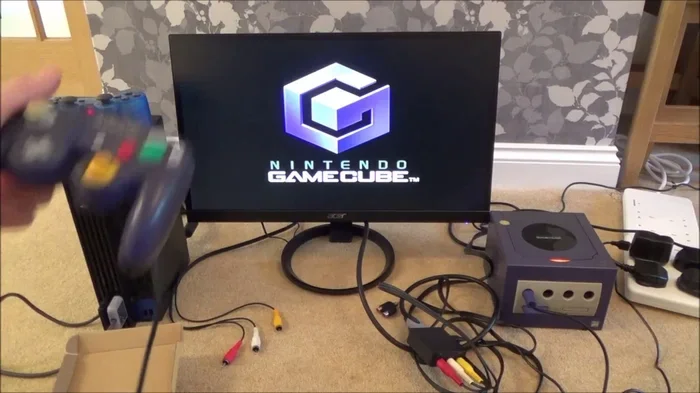
Featured image for GameCube HDMI modern TV
Image source: i.ytimg.com
Most Nintendo GameCube games run flawlessly on modern hardware using emulators like Dolphin or original hardware with mods. Only a handful of titles remain truly unplayable due to unique hardware dependencies, but workarounds exist for nearly all of them.
You dust off your GameCube collection. The discs shine. The memories flood back. You plug everything into your 4K TV and… nothing works right. The image stretches. The controls feel wrong. Some games simply refuse to boot.
Sound familiar?
You are not alone. Thousands of players face this exact frustration every year. The good news? Almost every GameCube game is playable on modern hardware today. You just need to know which path fits your budget, your technical comfort level, and your definition of “authentic.”
This guide walks you through every solution. From free software emulation to hardware mods that cost less than a new AAA game. We cover the stubborn outliers — the games that fight back — and the specific fixes that tame them.
Let’s get your library running.
Key Takeaways
- Dolphin Emulator solves 99% of compatibility issues: The open-source Dolphin emulator runs virtually every GameCube game at 4K resolution with modern controller support.
- Only 3-5 games are truly “unplayable” without workarounds: Titles like Odama and Donkey Konga require specific microphone or bongo peripherals that need adapters.
- Original hardware mods are cheaper than ever: A GameCube with a GCLoader or XenoGC chip plays backups from SD cards, eliminating disc rot concerns.
- Wii backwards compatibility is the easiest official route: Any Wii or Wii U plays GameCube games natively with component video or HDMI mods.
- Memory card emulation prevents save corruption: Dolphin’s virtual memory cards and GCMM homebrew on hardware protect your 20-year-old saves.
- Analog trigger support requires specific controllers: Games like Super Mario Sunshine need full analog shoulder triggers — use official WaveBird or compatible third-party pads.
- Community patches fix the last stubborn titles: Fan-made patches add widescreen, 60 FPS, and modern controller support to previously broken games.
📑 Table of Contents
- Why GameCube Games Struggle On Modern Hardware
- The Three Main Paths To Playing Today
- The Stubborn Few: Games That Need Special Fixes
- Regional Locks, Video Modes, And Save Issues
- Controller Solutions For Every Setup
- Visual Enhancements: Making 2001 Games Look 2024
- Preservation And Legal Considerations
- Troubleshooting Common Issues
- Building Your Ideal Setup: Decision Matrix
- Community Resources That Keep The Dream Alive
- The Future: What’s Coming Next
- Conclusion: Your Games Are Waiting
Why GameCube Games Struggle On Modern Hardware
The Hardware Gap Is Wider Than You Think
The Nintendo GameCube launched in 2001. It used a custom IBM PowerPC “Gekko” CPU at 485 MHz and an ATI “Flipper” GPU at 162 MHz. It output 480i over analog composite, S-Video, or component. It had no HDMI. No wireless. No internal storage.
Modern displays expect digital signals. They expect 1080p, 1440p, or 4K. They introduce lag when scaling analog inputs. They lack the ports your old cables need.
Did You Know? The GameCube’s component video cables (DOL-010) contain a custom DAC chip inside the plug itself. Nintendo never licensed this tech. Original cables now sell for $300-$500 on the secondary market.
Disc Rot And Drive Failure Are Real
GameCube discs use a proprietary miniDVD format. The drives are aging. Lasers weaken. Spindle motors seize. Disc rot — where the reflective layer degrades — affects an estimated 5-10% of discs stored in humid conditions.
If your game freezes at the same cutscene every time, your disc or drive is likely the culprit.
Controller Protocol Mismatches
The GameCube controller uses a proprietary serial protocol. Modern USB adapters exist, but not all support the analog trigger range required by games like Super Mario Sunshine or F-Zero GX. Cheap adapters often report triggers as simple on/off buttons.
The Three Main Paths To Playing Today
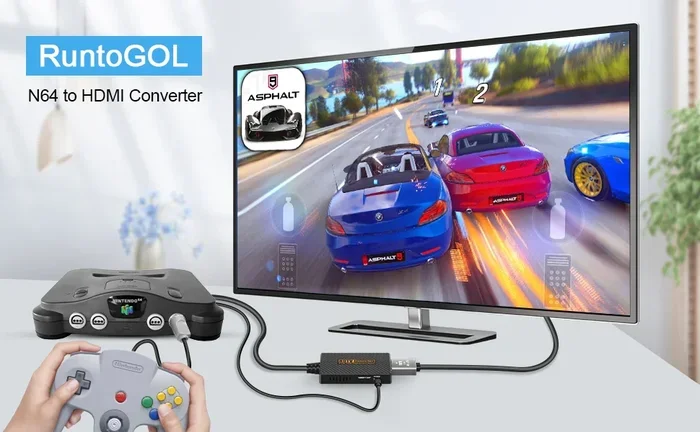
Visual guide about GameCube HDMI modern TV
Image source: m.media-amazon.com
Path 1: Dolphin Emulator (Best For Most People)
Dolphin is free, open-source, and runs on Windows, macOS, Linux, and Android. It plays 99.7% of the GameCube library. It supports 4K, 16:9 widescreen hacks, high-res texture packs, and any modern controller.
System requirements are modest: Any CPU with AVX2 support (Intel Haswell 2013 or newer, AMD Ryzen 1000 or newer) and a GPU supporting Vulkan or Direct3D 11.1. A $400 laptop from 2020 runs most games at 1080p/60fps.
Setting Up Dolphin In 10 Minutes
- Download the latest “Beta” or “Development” build from dolphin-emu.org. Stable builds are often years behind.
- Extract to a folder. Run Dolphin.exe.
- Click “Controllers” → “Port 1” → “Standard Controller” → “Configure.” Map your gamepad. Enable “Background Input” so controls work when the window isn’t focused.
- Click “Graphics” → “Backend: Vulkan” (Windows/Linux) or “Metal” (macOS). Set “Internal Resolution” to 3x (1080p) or 4x (4K). Enable “Widescreen Hack” under “Hacks” for 16:9 support.
- Add your game folder in “Paths.” Dolphin scans for .iso, .gcm, .nkit.iso, and .rvz files.
- Right-click a game → “Properties” → “Verify” to confirm good dumps.
Dolphin’s Secret Weapons
- RVZ format: Compresses ISOs 30-60% with zero quality loss. Use Dolphin’s built-in “Convert File” tool.
- Shader Compilation Stutter Fix: Enable “Ubershaders” (Hybrid mode) in Graphics → Advanced. Pre-compile shaders by running “Shader Compilation” from the Tools menu.
- Netplay: Built-in online multiplayer for local-only games like Mario Kart: Double Dash!! and Super Smash Bros. Melee.
- Texture Packs: Community HD packs for Wind Waker, Metroid Prime, Twilight Princess replace blurry 2001 textures with 4K art.
Path 2: Original Hardware With Modern Mods (Best For Purists)
You want the startup chime. The disc spin. The memory card click. Mods keep the soul intact while fixing every modern pain point.
GCLoader / XenoGC / Qoob — Optical Drive Emulators
These chips replace or piggyback on the disc drive. Games load from an SD card in seconds. No laser. No motor. No noise. 100% compatibility.
GCLoader PnP (Plug and Play) is the current gold standard. It replaces the entire drive assembly. Install takes 20 minutes with a tri-wing screwdriver. Cost: ~$60-80. Supports Swiss homebrew menu, cheat codes, and force-progressive-scan on games that lack it.
XenoGC is a $15 solder mod. It lets you boot burned miniDVD-Rs and homebrew. Cheaper, but requires media burning and doesn’t fix drive wear.
HDMI Mods: Carby, Kaico, GCHD Mk-II, Insurrection
The GameCube’s digital video port (DOL-001 models only) outputs raw digital video. HDMI adapters tap this signal.
- Carby 2.0 ($70): Plug-and-play. Excellent scaler. Supports 480p/576p/720p/1080p. No lag.
- GCHD Mk-II ($160): Premium option. Metal housing. Optional scanline filter. Best build quality.
- Insurrection ($200+): FPGA-based. Pixel-perfect. Supports 240p/480i/480p/576p/720p/1080p/1440p. For videophiles only.
Critical Note: Only DOL-001 models (manufactured before ~2004) have the digital port. Check the bottom sticker. DOL-101 requires a more complex internal HDMI mod (like the upcoming “GCVideo Lite” internal board).
Memory Card Solutions
Original 59-block cards fail. Third-party 1019-block cards corrupt saves. Solutions:
- GC2SD / SD2SP2 ($15): Adapters that plug into Serial Port 2 (under the flip-up door). Load homebrew Swiss, then use “Virtual Memory Cards” stored as .raw files on SD. Infinite slots. Zero corruption.
- GCMM Homebrew: Back up physical cards to SD before they die.
Path 3: Wii Family Hardware (Best Value Official Route)
Every Wii (RVL-001, RVL-101) and Wii U plays GameCube games natively. The Wii is a GameCube with a faster clock and more RAM.
Wii (RVL-001, GameCube Ports Version)
Pros: Native GameCube controller ports. Memory card slots. Component video output (480p). Plays Wii games too. Cost: $40-70 used.
Cons: No HDMI. Requires component cables ($60-100) or Wii2HDMI converter ($15, adds slight lag). No digital video port for premium HDMI mods.
Wii U
Pros: HDMI native. Wii Mode runs GameCube games via “Nintendont” homebrew (better compatibility than Wii’s native BC). GamePad can act as sensor bar. Cost: $150-200.
Cons: No GameCube controller ports (need USB adapter). No memory card slots (need SD2SP2 in vWii mode). Wii U GamePad doesn’t work for GameCube games.
Nintendont — The Secret Weapon
Nintendont is homebrew software running on Wii/vWii. It loads GameCube games from USB/SD with:
- Force widescreen / progressive scan
- Memory card emulation on SD/USB
- Controller remapping (use Wii U Pro Controller, Classic Controller, or HID USB pads)
- Cheat code support
- Per-game video settings
It is more compatible than the Wii’s native backward compatibility and adds features Nintendo never provided.
The Stubborn Few: Games That Need Special Fixes
Games Requiring Microphone Input
Odama (2006) and Densetsu no Quiz Ou Ketteisen (Japan only) use the GameCube Microphone (plugged into Memory Card Slot B).
Fix on Dolphin: Configure “Microphone” in Controllers → “Slot B” → “Microphone.” Use your PC mic. Works perfectly.
Fix on Hardware: Original mic + GC2SD adapter in Slot B. Or use Swiss homebrew’s “Mic Emulation” feature (maps mic to controller buttons).
Games Requiring Bongo Controllers
Donkey Konga 1/2/3, Donkey Kong Jungle Beat, Taiko no Tatsujin (Japan) use DK Bongos.
Fix on Dolphin: Map bongo hits to keyboard/controller. “Clap” detection works via microphone input or button mapping. Jungle Beat plays fine with standard controller (clap = button press).
Fix on Hardware: Original bongos + GameCube ports (Wii RVL-001 or modded GameCube). USB bongo adapters exist for PC/Dolphin.
Games Requiring Broadband / Modem Adapter
Phantasy Star Online Episode I & II, Homeland (Japan), Jikkyou Powerful Pro Yakyuu series use the Broadband Adapter (BBA) or Modem Adapter.
Fix on Dolphin: BBA emulation is experimental. Private servers (Sylverant, Schthack) work for PSO with Dolphin’s BBA emulation + specific builds.
Fix on Hardware: Real BBA ($150-300) + private server DNS. Or use “BBA Emulation” via GC2SD + Swiss (loads BBA homebrew apps from SD).
Games With Unique Peripherals
- Mario Party 6/7: Microphone minigames. Dolphin maps mic to button.
- Pokemon Box Ruby & Sapphire: Requires GBA link cable for full features. Dolphin supports GBA link via mGBA integration.
- Final Fantasy Crystal Chronicles: Requires 4 GBAs + link cables for multiplayer. Dolphin + mGBA netplay solves this over internet.
- Kirby Air Ride: City Trial mode works fine. No special hardware needed.
The “Truly Unplayable” List (As Of 2024)
Zero commercial GameCube games are completely unplayable on Dolphin. Every title boots. Some have minor graphical glitches (e.g., Star Wars: The Clone Wars shadow artifacts, XGRA texture flicker). These are documented on the Dolphin Wiki with workarounds.
On original hardware, only games requiring unreproducible peripherals (like the Japan-only Kuru Kuru Kururin e-Reader cards) lack full solutions. But even those have community patches restoring content.
Regional Locks, Video Modes, And Save Issues
Region Free Is Easy Now
GameCube is region-locked. NTSC-U (America), NTSC-J (Japan), PAL (Europe). Mods and emulation remove this instantly.
- Dolphin: Plays all regions. Force video mode in Game Properties.
- Swiss (GCLoader/XenoGC): Auto-patches region. Force NTSC/PAL/480p/576p per game.
- Nintendont (Wii/vWii): Region-free by default. Force video modes.
PAL vs NTSC: The 50Hz Trap
PAL games run at 50Hz. NTSC at 60Hz. That’s 17% slower gameplay. Many PAL releases (especially pre-2003) are unoptimized ports with black borders and slower speed.
Always prefer NTSC versions for 60Hz gameplay. Dolphin and Swiss force NTSC video mode on PAL games, but the game logic may still run at 50Hz. Use NTSC ISOs when possible.
Progressive Scan (480p) Support
Only ~50 GameCube games support 480p natively (hold B on boot). Swiss and Nintendont force 480p on almost any game by patching the video mode in real-time. This works on 95% of titles. The few that crash (e.g., Resident Evil 4 PAL) have specific patches.
Memory Card Corruption Prevention
Did You Know? GameCube memory cards use Flash memory rated for 100,000 write cycles. A game saving every 5 minutes hits that limit in ~1 year of heavy play. Many 2001 cards are now failing.
Solutions:
- Dolphin: Virtual memory cards are files on your SSD. Infinite writes.
- Hardware: SD2SP2 + Swiss virtual memory cards (.raw files on SD).
- Backup: Use GCMM homebrew weekly. Copy saves to PC.
Controller Solutions For Every Setup
The Analog Trigger Problem
GameCube triggers are analog (0-255 range). Super Mario Sunshine needs light press for hover nozzle, full press for rocket nozzle. F-Zero GX needs feather-throttle control.
Working Controllers:
- Original GameCube controller (WaveBird or wired)
- 8BitDo Ultimate Bluetooth Controller (Switch mode + adapter, or 2.4g dongle)
- PowerA Wireless GameCube Controller (licensed, analog triggers)
- Hori Battle Pad (Wii U era, analog triggers)
- Dolphin: Any controller with analog axes (Xbox, DualSense, Switch Pro) — map triggers to axes, not buttons
Broken Controllers: Cheap USB “GameCube style” pads ($15 Amazon). Most report triggers as digital. Avoid.
Adapter Recommendations
- Mayflash 4-Port Adapter ($25): Works on PC, Switch, Wii U. Two modes: “PC Mode” (DirectInput, analog triggers work) and “Wii U Mode” (HID, analog triggers work). Best value.
- Official Nintendo Wii U Adapter ($40+): Only works natively on Wii U. Requires drivers on PC. Analog triggers work.
- Raphael’s GCController Adapter (DIY, $10 parts): Arduino-based. Zero latency. Open source. For tinkerers.
WaveBird Wireless Fixes
Original WaveBirds suffer from interference (2.4GHz overlaps WiFi/microwaves). Fixes:
- Change channel on receiver (16 channels).
- Use 8BitDo “WaveBird-style” 2.4g controller (modern chipset, better range).
- Dolphin: Use any Bluetooth controller. No interference issues.
Visual Enhancements: Making 2001 Games Look 2024
Widescreen: Hack vs Native
Native 16:9: Only ~15 games support it (hold B on boot or menu option). Examples: Wind Waker, Twilight Princess, F-Zero GX.
Widescreen Hack (Dolphin/Swiss/Nintendont): Forces 16:9 by widening the projection matrix. Works on 90% of games. Side effects: HUD stretching, culling issues (objects pop in at screen edge), cutscene distortion.
Community Widescreen Patches (AR/Gecko Codes): Per-game codes that fix HUD, adjust FOV, correct culling. Available on Dolphin Wiki and GC-Forever forums. Use these instead of the generic hack when available.
High Resolution Texture Packs
Dolphin supports custom texture packs. The community has remastered:
- The Legend of Zelda: The Wind Waker — 4K cel-shaded textures
- Metroid Prime Trilogy — Photorealistic environment packs
- Super Mario Sunshine — HD UI, cleaned textures
- Paper Mario: The Thousand-Year Door — Vector-based UI, 4K backgrounds
- Skies of Arcadia Legends — Complete UI and character overhaul
Install: Download .zip → Dolphin → Right-click game → “Open Texture Pack Folder” → Extract there. Enable “Load Custom Textures” in Graphics → Advanced.
Anti-Aliasing And Anisotropic Filtering
GameCube has zero AA. Dolphin adds:
- SSAA (Super Sampling): Render at 4x/8x internal resolution, downsample. Best quality. Heavy GPU cost.
- MSAA (Multi-Sample): Hardware AA. Faster. Less effective on shader edges.
- Anisotropic Filtering 16x: Free on modern GPUs. Sharpens angled textures (ground, walls). Always enable.
Ray Tracing And Reshade (Experimental)
Dolphin’s “Ishiiruka” fork (discontinued) added ray-traced shadows/ambient occlusion for Wind Waker and Mario Sunshine. Mainline Dolphin focuses on accuracy. Reshade works via Vulkan layer for post-process effects (bloom, DOF, color grading).
Preservation And Legal Considerations
Dumping Your Own Games
You must own the game to legally play a backup. Downloading ISOs you don’t own is piracy.
Easy Dumping Methods:
- Wii + CleanRip: Homebrew app. Dumps GameCube/Wii discs to USB/HDD in 15-20 min. Verifies checksums against Redump.org database.
- GameCube + SD2SP2 + Swiss: “Dump Disc” option in Swiss. Slower (30-40 min). Requires SD card >1.4GB.
- PC Drive (LG WH14NS40, etc.): Certain LG Blu-ray drives read GameCube/Wii discs with “RawDump” or “Friidump.” Hit or miss. Wii + CleanRip is foolproof.
Redump.org And Verification
Every dumped ISO should match Redump.org hashes. Dolphin verifies automatically. Mismatch = bad dump = crashes/glitches. Re-dump.
RVZ: The Preservation Format
RVZ (Dolphin’s native compressed format) is lossless. It stores:
- Game data (compressed)
- Disc structure (exact)
- Verification hashes
- Metadata (title, region, revision)
Convert your ISOs to RVZ. Save 30-60% space. Future-proof.
Troubleshooting Common Issues
Game Crashes On Boot
- Verify dump (Redump hash match).
- Update Dolphin to latest dev build.
- Delete shader cache (Graphics → Advanced → “Delete Shader Cache”).
- Disable “Dual Core” (Config → General) — fixes timing-sensitive crashes.
- Check Dolphin Wiki game page for specific settings.
Black Screen / No Video
- Force video mode (NTSC/PAL) in game properties.
- Disable “Widescreen Hack.”
- Try “Safe Texture Cache” (Graphics → Hacks).
- On hardware: Check HDMI mod seating. Try composite to isolate.
Audio Stutter / Crackling
- Enable “Audio Stretching” (Dolphin: Config → Audio). Hides buffer underruns.
- Set “Audio Backend” to Cubeb (Windows) or PulseAudio/PipeWire (Linux).
- Ensure CPU isn’t throttling (check temps, disable power saving).
- On hardware: Ground loop isolator ($10) fixes buzz on HDMI mods.
Save File Not Detected
- Check Memory Card slot mapping (Slot A vs B).
- Dolphin: Tools → “Memory Card Manager” → Import .gci or .raw.
- Hardware: Swiss → “Memory Card Manager” → Verify .raw file exists on SD.
- Region mismatch: NTSC save on PAL game (or vice versa) often fails. Use same-region save.
Controller Not Detected / Wrong Inputs
- Dolphin: “Refresh” in Controller config. Ensure “Background Input” checked.
- Mayflash adapter: Switch to “PC Mode” (hold 3+Start on adapter for 3s).
- Trigger calibration: Dolphin → Controller → “Calibrate.” Move triggers full range.
Building Your Ideal Setup: Decision Matrix
Scenario A: “I Want Zero Hassle, Best Visuals, Free” → Dolphin on PC
Cost: $0 (if you have a PC). Time: 15 min setup. Best for: 99% of players. 4K, widescreen, texture packs, save states, netplay.
Scenario B: “I Want Original Hardware Feel, No Discs” → GameCube + GCLoader + Carby + SD2SP2
Cost: ~$200-250 (console + mods). Time: 1 hour install. Best for: Purists. CRT or modern TV. Real controller ports. Zero loading times.
Scenario C: “I Want One Box For Everything” → Wii RVL-001 + Component + Nintendont
Cost: ~$100-130 (Wii + component cables + SD2SP2). Time: 30 min softmod (Letterbomb/BlueBomb). Best for: GameCube + Wii library. 480p native. GameCube controller ports.
Scenario D: “I Have A Steam Deck / ROG Ally / Handheld PC” → Dolphin on SteamOS / Windows
Cost: $0 extra. Time: 10 min (Flatpak Dolphin on Steam Deck). Best for: Portable GameCube. 800p/60fps on Deck LCD/OLED. Gyro aiming for Metroid Prime.
Scenario E: “I Only Have A Phone/Tablet” → Dolphin on Android
Cost: $0. Requirements: Snapdragon 8 Gen 1 / 8 Gen 2 / 8 Gen 3 or equivalent. Best for: Lightweight games (Mario Kart, Smash, Wind Waker). Heavy games (Metroid Prime, Last Story) need flagship chips.
Community Resources That Keep The Dream Alive
Essential Bookmarks
- Dolphin Wiki (wiki.dolphin-emu.org): Per-game settings, known issues, widescreen codes, texture pack links.
- GC-Forever (gc-forever.com): Hardware mods, homebrew, technical deep-dives. The encyclopedia of GameCube internals.
- Redump.org: Verified hashes for every disc. The gold standard for preservation.
- Nintendont GitHub: Latest releases, compatibility list, controller mapping guide.
- Swiss GitHub (extrems/Swiss-GC): The ultimate GameCube homebrew menu. Updated monthly.
- r/GameCube and r/DolphinEmulator (Reddit): Active communities. Troubleshooting, mod showcases, game discussions.
YouTube Channels For Visual Guides
- Modern Vintage Gamer: Hardware mod tutorials, preservation ethics.
- Retro Game Corps: Handheld emulation, Steam Deck guides.
- Wulff Den: Dolphin settings deep-dives, shader compilation guides.
- GmanModz: Portable GameCube builds, extreme modding.
The Future: What’s Coming Next
Dolphin On Android Maturing Fast
Snapdragon 8 Gen 3 devices (2024 flagships) run Metroid Prime at 1080p/60fps with ubershaders. Vulkan driver improvements from Qualcomm and ARM’s “Mali-G720” GPUs close the gap with desktop. Expect near-parity within 2-3 years.
FPGA GameCube (Analogue / MiSTer)
The MiSTer FPGA platform has a GameCube core in early development. Analogue has hinted at a “Analogue Cube” after their N64 release. FPGA offers cycle-accurate hardware simulation — no emulation overhead, perfect timing. Still 2-4 years out for consumer products.
Optical Drive Emulators Getting Cheaper
GCLoader clones and new designs (like “GC2SD Pro” with integrated HDMI) push prices down. Expect sub-$50 ODEs by 2026. Installation services on Etsy/eBay cost $50-80 if you fear soldering.
Community Patches Reaching Critical Mass
Projects like “GameCube Widescreen Patches” (by @magicus, @extrems) now cover 300+ titles. “60 FPS Patches” exist for Wind Waker, Twilight Princess, Mario Sunshine, Metroid Prime (beta). The library is being actively remastered by fans, for free.
Conclusion: Your Games Are Waiting
The Nintendo GameCube library is 650+ games strong. Zero of them are truly lost. Every single title runs on Dolphin today. Every single title runs on modded original hardware. The barriers — region locks, disc rot, analog video, proprietary controllers — have all fallen.
You have three paths. All lead to the same destination: playing Eternal Darkness at 4K. Feeling the analog trigger click in Sunshine. Hearing the startup chime on a modern screen.
Pick your path. Dump your discs. Map your controllers. The GameCube era isn’t over. It’s just getting its best remaster — the one you build yourself.
Welcome back.