
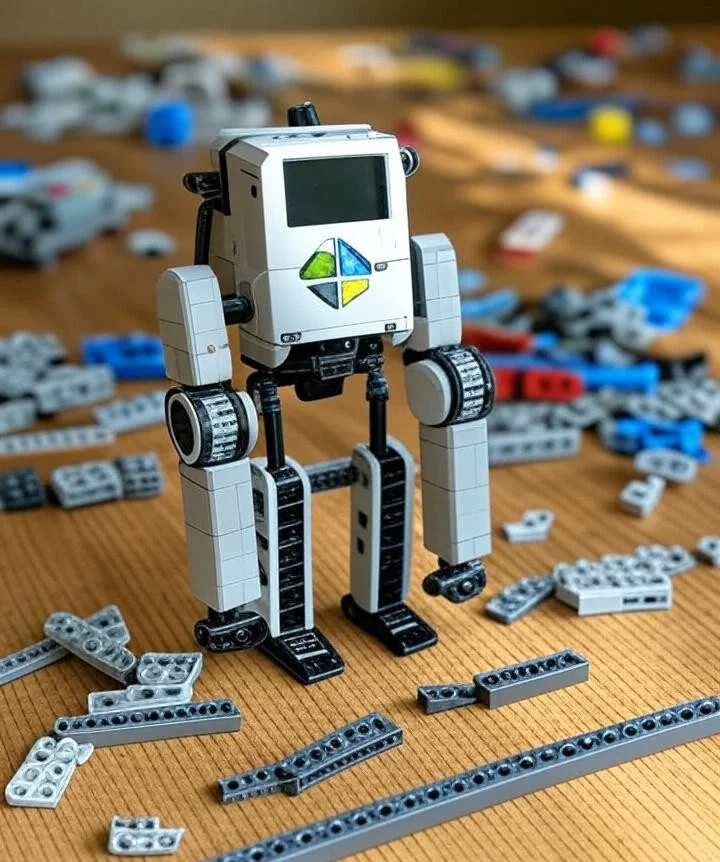
Remember building elaborate LEGO castles as a kid? Now imagine bringing those creations to life! The LEGO Mindstorms Robot Inventor kit empowers you to do just that, opening a world of robotic possibilities. This guide will delve into everything you need to know about this incredible kit, helping you build, program, and ultimately master your own amazing robots. You'll learn about its features, programming, and the endless creative opportunities it offers.
Building Your First LEGO Mindstorms Robot
This section focuses on the initial assembly and setup of the LEGO Mindstorms Robot Inventor kit. We'll walk through the building instructions, highlight key components, and offer tips for a smooth building experience. You'll learn how to connect the different parts and troubleshoot any potential issues that might arise during construction. For more educational toy ideas that combine fun with learning, explore our curated recommendations.
Understanding the Components
Intelligent Hub: The brain of the operation, controlling motors and sensors. This powerful hub provides the processing power for the robot's actions and reactions. It's user-friendly and integrates seamlessly with the programming software. Think of it as the robot's central nervous system.
Motors: Provide the movement for your creations. The Robot Inventor utilizes a variety of motors allowing for intricate movements and precise control. They can be programmed independently or in coordination for complex actions. Learning to program these is key to creating sophisticated robots.
Sensors: Enable your robot to interact with its environment. These include color, distance, and touch sensors allowing for a multitude of robotic behaviours. Understanding sensor inputs is vital for creating responsive and intelligent robots.
For official specifications and updates, refer to the LEGO Education website.
Building Instructions and Tips
Carefully follow the instructions provided in the kit. Take your time and ensure each step is completed accurately. Rushing can lead to errors and frustration.
Utilize the digital instructions available online for a 3D interactive experience. These interactive instructions provide a better understanding of the assembly process and can greatly enhance your building experience.
Organize your workspace: Keep components sorted by type (motors, sensors, beams) in separate containers. This prevents lost pieces and speeds up assembly. A common mistake is mixing similar-looking parts, which can cause confusion later.
Test as you build: After completing each major sub-assembly (like a motorized wheel base), power it up briefly to verify connections and movement. Catching issues early saves time.
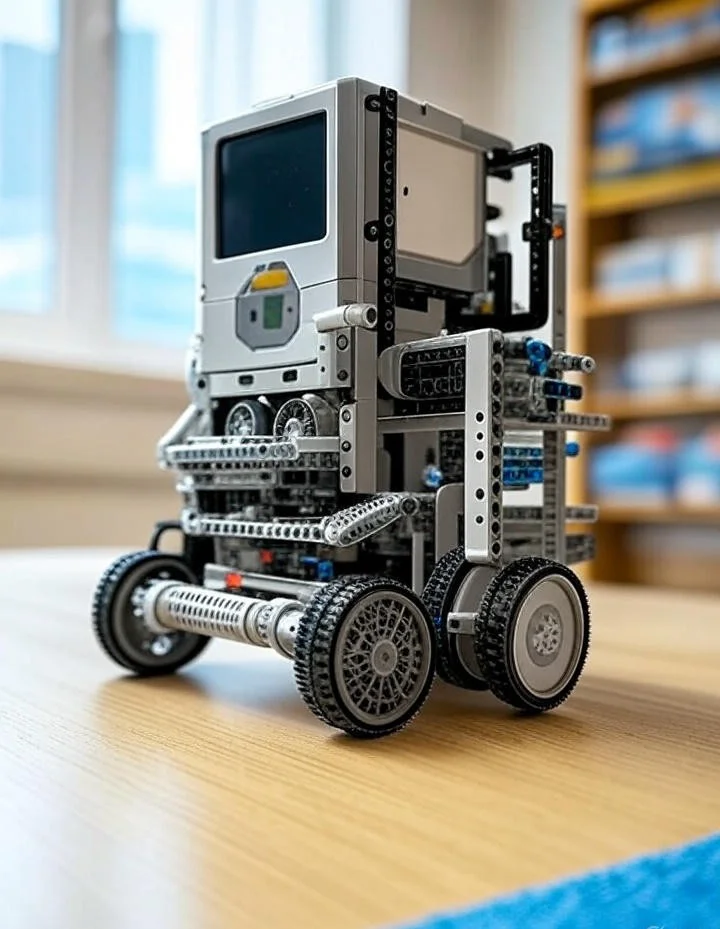
A fully assembled Robot Inventor model showcasing the Intelligent Hub and attached components
Programming Your LEGO Robot
This section delves into the programming aspect of the LEGO Mindstorms Robot Inventor . We'll explore the intuitive software, teach you basic coding concepts, and show you how to create complex programs to control your robotic creations. You'll find that programming is surprisingly accessible, even for beginners. For more STEM activities that complement robotic learning, check out our guide.
Using the LEGO Mindstorms App
Intuitive Interface: The app boasts a user-friendly interface designed for both beginners and experienced programmers. It simplifies complex coding tasks, making it easy to get started with robotic programming.
Drag-and-Drop Programming: The app's drag-and-drop interface makes programming incredibly straightforward. Even without previous coding experience, you can create complex robotic behaviors.
Pre-built Programs: The app provides a range of pre-built programs to help you get started, offering inspiration and a platform to learn from existing code.
The app is regularly updated with new features and improvements. As of 2026, it supports both block-based and Python programming, giving users more flexibility as they advance.
Advanced Programming Techniques
Once you master the basics, you can explore more advanced techniques like loops, variables, and conditional statements. These allow for more complex interactions and adaptive behaviors in your creations. The possibilities are nearly endless.
In practice, many users find that combining sensor inputs with conditional logic creates the most engaging robots. For example, a robot that changes direction when it detects an obstacle (using the distance sensor) demonstrates fundamental autonomous navigation concepts.
Debunking Common Myths
Myth 1: Programming is too difficult.
The LEGO Mindstorms Robot Inventor simplifies programming using a visual, drag-and-drop interface. It’s designed to be accessible to all skill levels, making it easy to learn and experiment.
Myth 2: You need extensive prior knowledge of robotics.
No prior robotics experience is necessary. The kit and its app guide you through the entire process, from building to programming. The learning curve is gradual, making it an excellent educational tool.
Exploring Robot Models and Projects
This section showcases the diverse range of robots you can build with the LEGO Mindstorms Robot Inventor kit. We'll explore some of the pre-designed models and delve into the possibilities for custom creations. Let your imagination run wild! For additional toy recommendations that inspire creativity, visit our comprehensive list.
Pre-Designed Models
Blast: A fast and agile robot designed for speed and maneuverability. This model focuses on rapid movement and control.
Charlie: A versatile robot that can be configured for various tasks, from navigating mazes to interacting with objects. Its adaptable design makes it ideal for a range of challenges.
Tribot: A three-wheeled robot designed for stability and controlled movement. This model is particularly good for tasks requiring precise control and stability.
Gelo: A humanoid robot that can walk, grab objects, and perform various movements. This model introduces more complex mechanical designs and programming challenges.
M.V.P.: A modular vehicle platform that can be reconfigured into different vehicle types. This model is excellent for learning about gear ratios and mechanical advantage.
Custom Robot Designs
Once you’ve mastered the pre-built models, the real fun begins! Design your own unique robot, incorporating your ideas and creativity. The limit is your imagination.
A great starting point for custom designs is to modify existing models. For example, you could add an extra motor to Charlie to create a robotic arm, or combine elements from Blast and Tribot to make a hybrid vehicle. Document your designs as you go—this helps with troubleshooting and sharing with others.
Comparison of Pre-Built Robot Models
| Robot Model | Key Features | Difficulty Level | Best For Learning |
|---|---|---|---|
| Blast | Fast movement, agile turning | Medium | Motor control, speed optimization |
| Charlie | Versatile, configurable | Medium-High | Adaptability, task-specific programming |
| Tribot | Stable, precise movement | Medium | Balance, controlled navigation |
| Gelo | Humanoid, complex movements | High | Mechanical design, advanced programming |
| M.V.P. | Modular, reconfigurable | Medium | Gear systems, mechanical advantage |
Educational Benefits of LEGO Mindstorms
The Robot Inventor kit offers significant educational value beyond just building and programming robots. It helps develop critical thinking and problem-solving skills as users debug their creations. The process of designing, building, and refining robots teaches persistence and attention to detail.
For younger users, it introduces fundamental concepts of physics (like gear ratios and torque) and computer science (like algorithms and logic). Older users can explore more advanced topics such as sensor fusion, PID control for precise movements, and even basic artificial intelligence concepts.
In classroom settings, LEGO Mindstorms is often used to teach teamwork and project management. Students learn to collaborate, divide tasks, and integrate different subsystems—a valuable experience that mirrors real-world engineering projects. For more educational resources, visit our blog.
Troubleshooting and Support
This section provides solutions to common issues encountered while using the LEGO Mindstorms Robot Inventor . We'll address common problems and provide troubleshooting steps to get you back on track. Don't be discouraged – even experienced builders encounter challenges.
Common Problems and Solutions
Motor Issues: If a motor isn't working correctly, check the connections and ensure the battery is properly installed. Refer to the troubleshooting section in the app or online documentation.
Sensor Problems: If sensors aren't responding, double check the connections and ensure they are positioned correctly. Calibrate the sensors as needed following the instructions in the app.
Software Glitches: If you encounter any software issues, try restarting the app or your device. Refer to the LEGO Mindstorms website or support documentation for additional solutions.
Connection Errors: If the hub isn't connecting to your device, ensure Bluetooth is enabled and the hub is charged. Try forgetting the device in your Bluetooth settings and reconnecting.
Firmware Updates: Regularly check for firmware updates for your Intelligent Hub through the app. These updates often include bug fixes and new features.
LEGO Mindstorms Community Support
Join the vibrant LEGO Mindstorms online community. Engage with other builders, share your creations, and find solutions to challenging problems. The community is a great resource for inspiration and troubleshooting. For more engaging activities that foster creativity, explore our suggestions.
Advanced Projects and Competitions
Once you're comfortable with the basics, consider taking on more advanced projects or participating in competitions. Many schools and organizations host LEGO robotics competitions where teams solve specific challenges with their robots. These events are excellent for applying your skills in a competitive yet collaborative environment.
Some popular competition formats include:
- Sumo robot battles, where robots try to push each other out of a ring
- Line-following challenges, testing precision and sensor calibration
- Obstacle courses that require complex programming and robust mechanical design
- Robot soccer, which combines teamwork and strategic programming
For those interested in screen-free activities, LEGO Mindstorms offers a perfect blend of hands-on building and digital programming.
Maintenance and Care
To ensure your LEGO Mindstorms Robot Inventor kit lasts for years, follow these maintenance tips:
- Store components in a cool, dry place away from direct sunlight
- Keep the Intelligent Hub and motors clean by occasionally wiping them with a dry cloth
- Avoid exposing the electronic components to moisture or extreme temperatures
- Regularly check and tighten connections, as they can loosen over time with use
- When not in use for extended periods, store the rechargeable batteries separately and at about 50% charge
FAQ
What age is the LEGO Mindstorms Robot Inventor suitable for?
The kit is designed for ages 10+, though younger children might enjoy building with adult supervision. The programming aspects might be more challenging for very young children.
What programming languages does the LEGO Mindstorms Robot Inventor use?
It uses a visual, block-based programming language within the LEGO Mindstorms app. This makes it accessible to beginners without requiring prior coding knowledge. As of 2026, it also supports Python programming for more advanced users.
How long does it take to build a robot?
Building time varies depending on the model and builder's experience. Simple models might take an hour or two, while more complex robots can take several hours or even longer. Custom designs may take multiple sessions to perfect.
Can I use the LEGO Mindstorms Robot Inventor with other LEGO bricks?
Yes, you can integrate your own LEGO bricks to customize and expand your robot designs. This adds a whole new dimension to your building possibilities. The kit is compatible with most LEGO Technic pieces, allowing for extensive customization.
What kind of battery does it require?
The Intelligent Hub uses a rechargeable lithium-ion battery pack, which is included in the kit. It offers several hours of continuous use on a full charge. Replacement batteries are available from LEGO if needed.
Can I control my robot remotely?
Yes, the LEGO Mindstorms app allows for basic remote control of your robots. Additionally, you can program more sophisticated remote control functionality using the app's programming interface.
Is the LEGO Mindstorms Robot Inventor compatible with other programming platforms?
While the primary programming is done through the LEGO Mindstorms app, advanced users have found ways to interface with other platforms. However, this requires additional knowledge and is not officially supported by LEGO.
How can I share my robot designs with others?
You can share your designs through the LEGO Mindstorms community forums, social media groups, or by creating building instructions using the digital building tools. Many users also create video demonstrations of their robots in action.
Final Thoughts
The LEGO Mindstorms Robot Inventor is more than just a toy; it's an engaging and educational tool that fosters creativity, problem-solving skills, and a passion for robotics and STEM subjects. With its intuitive interface and endless possibilities, it's a fantastic way to introduce children (and adults) to the exciting world of robotics. So, grab your kit, unleash your creativity, and get ready to build your next amazing robot! For more innovative toys that inspire learning, explore our recommendations.