
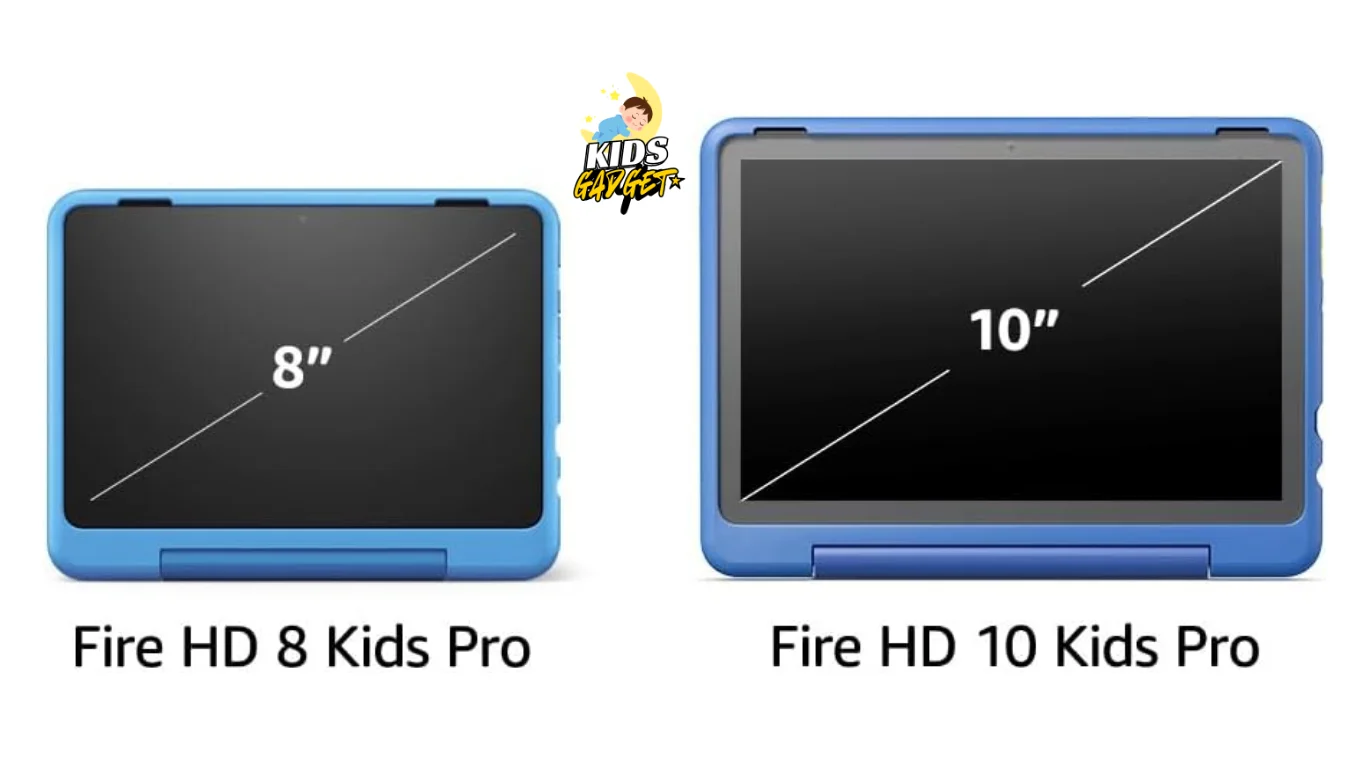
My niece recently got an Amazon Kids tablet, and watching her use it, I started wondering: Is the Amazon Kids tablet worth it? It seemed incredibly engaging, but are there drawbacks? This post will explore the pros and cons of the Amazon Kids tablet, helping you decide if it's the right choice for your family. We'll cover features, cost, durability, and parental controls to give you a complete picture and help you make an informed decision about purchasing an Amazon Kids tablet for your child.
Features and Functionality
The Amazon Kids tablet boasts a range of features designed specifically for children. This section will delve into those features, explaining their benefits and limitations.
Age-Appropriate Content
Access to a vast library of age-appropriate apps, games, and books: Amazon provides a curated selection of content suitable for different age groups. This ensures children are exposed to material appropriate for their developmental stage, minimizing exposure to inappropriate content.
Parental controls for content filtering: Parents can easily set limits on what their children can access. This allows for tailored content selection based on age, interests, and even individual learning goals. This granular control is a crucial feature for many parents.
Amazon's content library is constantly updated, ensuring children always have access to fresh and engaging material. The ability to limit screen time and control access to certain apps is a major advantage.
For families looking to expand beyond screen time, pairing the tablet with a reliable machine for audio experiences can create a balanced media diet. The American Academy of Pediatrics offers guidelines on media use that may help inform your approach to children's digital consumption.
Durability and Design
Rugged design to withstand accidental drops and bumps: The tablet is built to withstand the rough and tumble nature of kids. It's designed to handle everyday wear and tear, minimizing the risk of damage from accidental falls or impacts.
Kid-friendly interface: The interface is simple and intuitive, making it easy for children to navigate. The large, colorful icons and simple menus are easy for even young children to use without assistance.
While not indestructible, the Amazon Kids tablet's robust build is designed to withstand the rigors of childhood. This is an important consideration for parents seeking a device that will last.
In practice, many parents find that combining the tablet with essential gear like protective cases and screen covers provides extra peace of mind. The tablet's design also makes it a good companion for learning through play during travel or downtime.
Parental Controls and Monitoring
Detailed parental control features: Parents can set time limits, restrict access to certain apps or websites, and monitor their child's activity. This level of parental control allows for peace of mind and promotes responsible technology usage.
Activity reports: Parents can track their child's app usage and screen time. This gives parents insight into their child's online habits and allows for adjustments as needed.
The parental controls are comprehensive and easy to use. This helps parents manage their child’s screen time and ensure appropriate content usage, encouraging responsible digital citizenship.
A common mistake is setting overly restrictive limits initially—start with moderate boundaries and adjust based on your child's behavior. The Federal Trade Commission provides resources on child online safety that complement these built-in controls.
Cost and Value
Considering the cost of the Amazon Kids tablet alongside its features and benefits, helps determine if it represents good value for money. We’ll compare it to other children's tablets and explore its long-term cost-effectiveness.
Price Comparison with Competitors
Insert a comparison chart here comparing the price of the Amazon Kids tablet to other children's tablets with similar features. This should include details on the included warranty and any additional costs for subscriptions or content.
| Tablet | Price | Warranty | Subscription Costs |
|---|---|---|---|
| Amazon Kids Tablet | $99 | 1 year | $3/month |
| Competitor A | $120 | 6 months | $5/month |
| Competitor B | $80 | No Warranty | $2/month |
For families considering multiple devices, bundling the tablet with a high-flying guide for outdoor play can balance screen time with physical activity. The initial price point is competitive, but remember to factor in the cost of top-rated brewers for healthy snacks during usage breaks.
Long-Term Costs
Subscription fees for content access: Amazon offers various subscription tiers to access their content library. The cost of these subscriptions should be considered as a long-term expense.
Potential for additional app purchases: While the Amazon Kids tablet comes with a considerable amount of preloaded content, children might want additional apps or games, leading to extra costs.
The initial cost of the tablet is just one aspect; the ongoing subscription fees and potential for additional in-app purchases should be factored into the overall budget.
To maximize value, consider supplementing the tablet's content with free resources like poetry websites or classical music for a well-rounded experience.
Alternatives and Considerations
While the Amazon Kids tablet offers a compelling package, exploring alternatives and considering specific family needs is crucial. This section examines alternatives and factors to consider before making a decision.
Other Children's Tablets
Comparison to other tablets: Several other companies offer tablets specifically designed for children. A comparison of features, costs, and parental control capabilities can help determine the best fit for your family.
Older tablets repurposed for kids: An older, used tablet could be a more budget-friendly option, but requires careful setup of parental controls and might lack the durability of a dedicated kids' tablet.
Various factors affect the ideal choice of children's tablet, including family budget, child's age, and specific needs regarding content and parental control features.
For creative families, pairing the tablet with sewing machines or art lessons can foster both digital and hands-on skills.
Debunking Common Myths
Myth 1: All Kids' Tablets Are the Same
This is false. There are significant differences in terms of durability, parental controls, app libraries, and price points. The Amazon Kids tablet is just one option among many.
Myth 2: A Regular Tablet with Parental Controls Is Sufficient
While possible, this is often less user-friendly and less effective than a dedicated kids tablet. Kids' tablets typically have more robust parental controls and kid-friendly interfaces.
Myth 3: The Amazon Kids Tablet Is Too Expensive
The cost depends on your budget and the alternative options you are considering. However, the long-term value and peace of mind offered by the parental controls may outweigh the initial investment for many parents.
Additional Features and Accessories
Educational Value
The Amazon Kids tablet includes access to educational apps that cover subjects like math, science, and reading. These apps are designed to be engaging while reinforcing school lessons. Many parents report that their children show improved focus on learning when using these educational tools compared to traditional methods.
Battery Life and Portability
With up to 12 hours of battery life, the tablet is suitable for long car rides or flights. Its lightweight design makes it easy for children to hold and carry, which is particularly beneficial for younger users. However, remember to bring a charger for extended trips, as battery life can vary based on usage.
Accessory Ecosystem
Amazon offers a range of accessories for the Kids tablet, including:
- Protective cases in various colors and designs
- Screen protectors
- Kid-friendly headphones
- Stand covers that double as handles
These accessories can enhance the tablet's durability and usability. For example, safe sound options are essential for protecting young ears during extended use.
Is the Amazon Kids Tablet Right for You?
The ultimate decision rests on your family's specific needs and preferences. This section will help you weigh the pros and cons and determine if the Amazon Kids tablet is a good fit for your child.
Scenario 1: A Family with Young Children (Ages 3-5)
- The age-appropriate content and robust parental controls make this a suitable option. The durable design is also a significant plus for this age group.
For this age group, the tablet pairs well with toys that spark joy to create a balanced play environment.
Scenario 2: A Family with Older Children (Ages 8-12)
- While the tablet's features are suitable, the older child might require more advanced apps and features not included in the Amazon Kids library. Explore other options or supplementary subscriptions.
Older children might also benefit from STEM activities that complement the tablet's educational content.
Scenario 3: Families with Multiple Children
- The tablet's multi-profile feature allows each child to have their own personalized experience with age-appropriate content and settings. This makes it a practical choice for households with kids of different ages.
Real-World Usage Tips
Setting Up for Success
- Begin by setting up the parental controls before giving the tablet to your child. This prevents accidental access to inappropriate content.
- Create a charging station in a common area to encourage supervised use and prevent the tablet from being left in risky locations.
Balancing Screen Time
- Use the tablet's time limits to establish a healthy routine. For example, allow educational content during homework time and entertainment apps only after chores are completed.
- Pair tablet time with outdoor activities to ensure a balanced lifestyle.
Content Management
- Regularly review your child's activity reports to understand their interests and adjust content access accordingly.
- Consider supplementing the tablet's content with books or craft activities for a well-rounded experience.
FAQ
What age range is the Amazon Kids tablet suitable for?
The Amazon Kids tablet is designed for children aged 3-12, although younger children might require more parental supervision. The parental control settings can be adjusted for different ages.
How durable is the Amazon Kids tablet?
It's built to withstand typical wear and tear from children. While not indestructible, it's designed to resist scratches, minor drops, and other accidental damage.
Can I add more storage to the Amazon Kids tablet?
No, the Amazon Kids tablet has a fixed amount of storage. Carefully consider your storage needs before purchasing; this is a significant limitation for some users.
What types of parental controls does it offer?
It offers detailed controls, including time limits, app restrictions, website blocking, and activity monitoring, offering various customization options based on your child's age and needs.
What if my child breaks the tablet?
Amazon offers a limited warranty. Beyond the warranty period, repairs might be costly, underscoring the need for careful consideration of the device's durability and your child's habits.
Is it easy to set up?
Yes, the setup process is straightforward, even for those unfamiliar with tablets. The Amazon Kids app provides clear instructions and a simple interface.
What kind of content is available?
The tablet has access to a huge library of age-appropriate apps, games, books, and videos, although there is a subscription cost associated with accessing all the content.
Can the Amazon Kids tablet be used for schoolwork?
Yes, the tablet supports various educational apps that align with school curricula. Many schools recommend using tablets for interactive learning, especially for subjects like math and reading. The ability to download additional educational content makes it versatile for both entertainment and learning.
How does the Amazon Kids tablet handle updates?
The tablet receives regular software updates that include new features, security patches, and content updates. These updates are typically automatic, but parents can choose to review and approve them manually if preferred.
Is there a way to share content between multiple Amazon Kids tablets?
Yes, through Amazon's Family Library feature, parents can share purchased content across multiple devices. This is particularly useful for families with more than one child using the tablet.
Final Thoughts
Determining whether the Amazon Kids tablet is “worth it” depends heavily on individual family needs and circumstances. Its strong points – robust parental controls, durable design, and age-appropriate content – make it a strong contender. However, the ongoing subscription costs and limited storage should be considered. Weigh the pros and cons, compare it to alternatives, and decide if the Amazon Kids tablet aligns with your family's digital parenting strategy.
For more insights on kids' gadgets and activities, explore our blog for a wealth of resources and recommendations.